Rollout Context
What the product page needs to show before launch
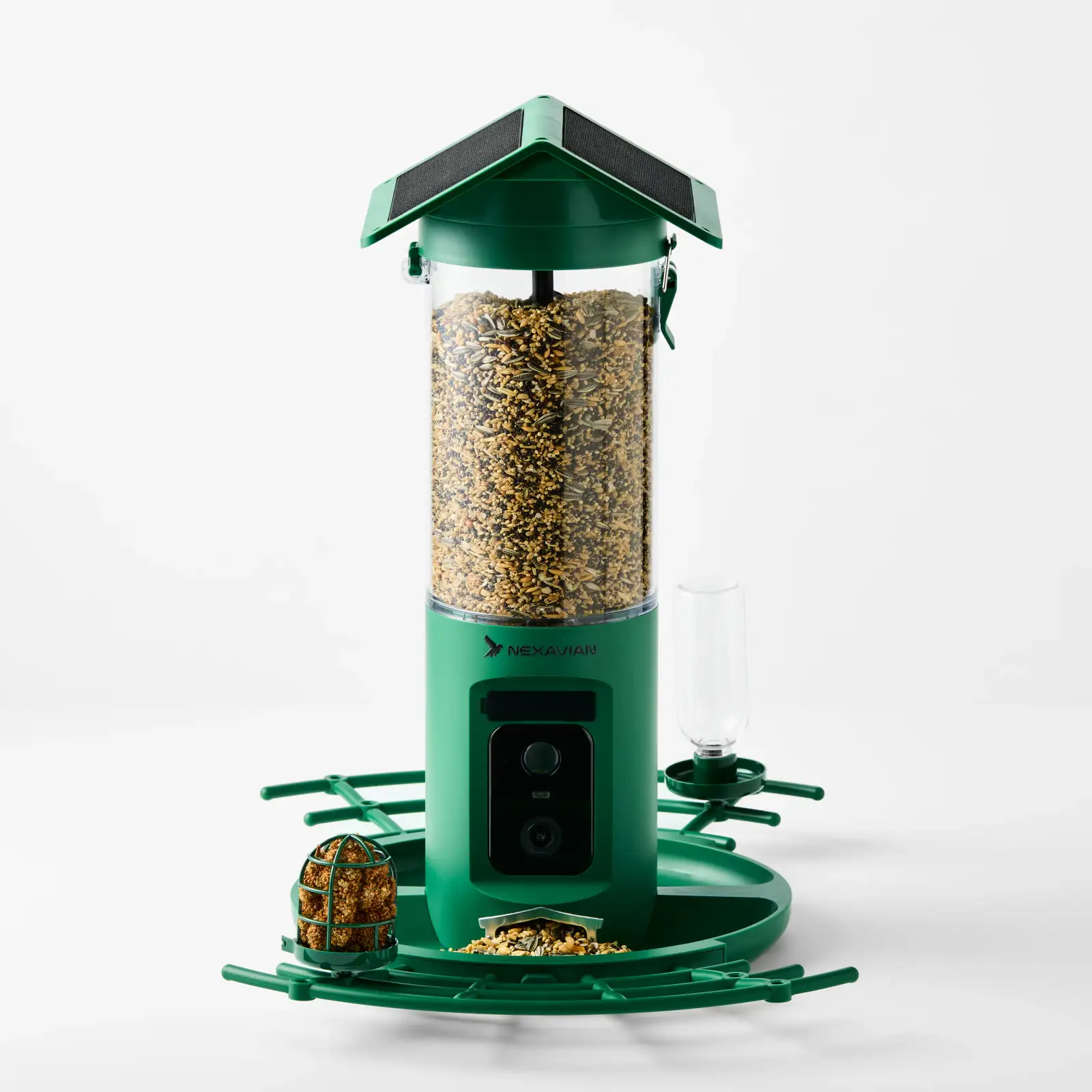
A new product page has to introduce the product and explain it at the same time. For Nexavian’s camera bird feeder, that means showing more than a green feeder on a light background. A shopper also needs to see where the camera sits, how the feeding platform is arranged and what the separate components look like.
The website is still pre-launch. This case study covers the product photography prepared for that launch, with the images doing the explanatory work before the store opens.
White-background ecommerce photography: start with the whole product
The front view gives the product a clear starting point. The roof, seed-filled reservoir, camera and feeding platform are visible together, so a shopper can understand the overall shape before moving into the details.
The angled frame adds another useful view. It exposes the relationship between the roof and reservoir and shows the platform’s depth. Together, these two images establish the product without asking one photograph to explain every feature.
Clear plastic, dark camera surfaces and green housing also need to remain distinct within the same frame. The clean white background keeps the presentation consistent, while visible edges and surface detail let each part retain its shape. That clarity is central to our ecommerce product photography in Perth: the image should make the object easier to understand at product-page size.
For Perth ecommerce brands, multi-angle product photography gives a listing several useful reference views. A front packshot establishes the product, an angled view adds depth, and overhead and detail photographs show features hidden from the main image. Keeping the background and colour treatment consistent lets those views work together across a product gallery or catalogue.
Give each feature its own view
The close-ups answer questions the wider frames leave open. One isolates the camera module and front housing. Another shows the seed outlet and perforated tray. A third gives the feeding attachment enough space to be inspected separately.
The roof needs a different viewpoint altogether. From the front, its solar panels are easy to overlook. The overhead image makes them visible and adds a view of the platform around the feeder. Each supporting frame contributes information rather than repeating the hero.
Show the components together
The box-contents flatlay brings the separate pieces into one image. The housing, clear reservoir, roof, trays and smaller accessories can be viewed together instead of being described only in a list.
That is particularly useful for a multi-part product. A complete product photograph explains what the assembled feeder looks like; the flatlay explains what the pictured components look like before assembly. Both views belong in the same library, because they serve different questions.
Nexavian now has a set that moves from the whole product to individual features and components. It is ready to support the upcoming store’s product presentation, with a consistent visual treatment across the set. For another example of showing difficult surfaces clearly, see our Fiski swimming goggles case study.