

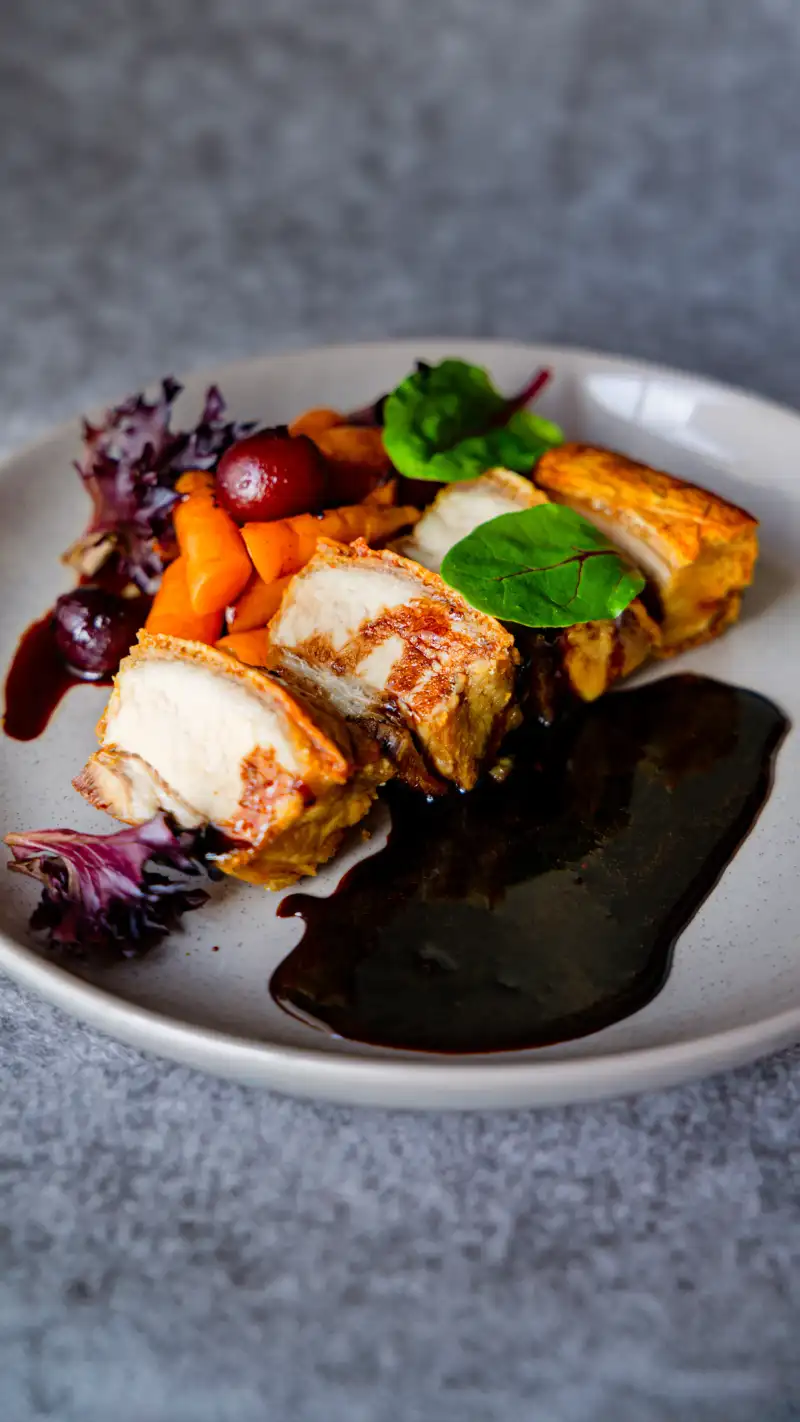
Image compression reduces file size without noticeable quality loss, directly improving page speed—a key Google ranking factor. For Perth restaurants, cafés and bars in Northbridge, Fremantle, Subiaco, and beyond, slow‑loading images can increase bounce rates by up to 40% and push your site down in local search results. Many photographers deliver stunning high‑resolution files that are perfect for print but disastrous for the web, unintentionally harming their clients’ online visibility. This guide explains the SEO impact of image compression, common mistakes photographers make, and how to balance visual quality with web performance.
According to Google’s data, sites that load within 3 seconds have 32% lower bounce rates than those taking 5 seconds. With over 60% of Perth hospitality searches happening on mobile—often on patchy 4G connections in areas like Fremantle’s waterfront or Northbridge’s busy streets—every kilobyte counts. If your mouth‑watering dish photos are slowing down your menu, you’re not just testing customers’ patience—you’re telling Google your site provides a poor user experience.
What Is Image Compression?
Image compression is the process of reducing the file size of a digital image. There are two primary methods:
Lossy compression: Permanently removes some data (like subtle colour variations) to achieve smaller file sizes. Formats like JPEG and WebP use lossy compression. When done correctly, the quality loss is invisible to the human eye.
Lossless compression: Reduces file size without discarding any data, perfect for graphics with sharp edges or text. PNG and GIF are lossless formats, but they often produce larger files than lossy equivalents for photographic content.
For web use, WebP (with JPEG fallbacks) is the modern standard because it offers superior compression ratios—typically 25–35% smaller than JPEG at the same perceived quality. That means faster downloads, lower data usage for mobile customers, and better Core Web Vitals scores.
Image Format Comparison for Web
| Format | Type | Best For | Typical Size (1920px photo) | Browser Support |
|---|---|---|---|---|
| WebP | Lossy/Lossless | All web photos (recommended) | 150–400 KB | All modern browsers |
| AVIF | Lossy/Lossless | Cutting-edge compression | 100–300 KB | Chrome, Firefox (limited Safari) |
| JPEG | Lossy | Fallback, legacy support | 300–800 KB | Universal |
| PNG | Lossless | Logos, graphics with text | 2–8 MB (photos) | Universal |
| TIFF | Lossless | Print only (never web) | 20–50 MB | Not supported |
Recommendation for Perth hospitality websites: Use WebP as your primary format with JPEG fallbacks for older browsers. Reserve PNG for logos and graphics only.
The SEO Connection: Why Speed Matters for Perth Venues
Google’s Core Web Vitals include Largest Contentful Paint (LCP), which measures how long the largest image or text block takes to appear. Unoptimized hero images are the most common cause of poor LCP. If your signature dish photo takes five seconds to load, Google sees that as a bad user experience and may rank your site lower in search results. (For a deeper dive into Core Web Vitals, read our guide on Core Web Vitals for hospitality websites.)
Beyond rankings, speed affects conversions directly. A study by Portent found that the highest‑converting e‑commerce sites load in 1.9 seconds or less. For Perth venues, that could mean the difference between a customer booking a table or bouncing to a competitor with a faster site.
Load Time Impact on User Behaviour
| Load Time | Bounce Rate Increase | Conversion Impact | LCP Rating |
|---|---|---|---|
| 1–2 seconds | Baseline | Optimal conversions | Good (green) |
| 2–3 seconds | +9% | Slight decrease | Good (green) |
| 3–4 seconds | +32% | Moderate decrease | Needs Improvement (orange) |
| 4–5 seconds | +40% | Significant decrease | Poor (red) |
| 5+ seconds | +50–90% | Lost customers | Poor (red) |
Image compression is one of the easiest and most effective ways to improve LCP. By reducing file sizes, you decrease the amount of data that must be downloaded, allowing the browser to paint the page faster. This is especially critical for mobile users in areas with slower 4G coverage, such as Fremantle’s waterfront, Northbridge’s crowded streets, or Scarborough’s beach dining areas.
Common Mistakes Photographers Make
Most professional photographers are trained to deliver the highest possible quality for print, not for the web. This leads to several well‑intentioned but harmful practices that we see constantly from Perth venues:
1. Delivering Huge, Uncompressed Files
A typical high‑resolution RAW file can be 30–50 MB. Even after editing, photographers often export JPEGs at 100% quality, resulting in 5–10 MB files. A single hero image that size can single‑handedly push your LCP beyond 5 seconds, triggering Google’s “Needs Improvement” flag.
| Export Setting | Typical File Size | Web Suitability |
|---|---|---|
| JPEG 100% quality | 5–10 MB | ❌ Too large |
| JPEG 95% quality | 2–5 MB | ❌ Still too large |
| JPEG 85% quality | 500 KB–1.5 MB | ⚠️ Acceptable but not optimal |
| WebP 85% quality | 200–500 KB | ✅ Optimal |
| WebP 80% quality | 150–400 KB | ✅ Optimal |
2. Using the Wrong File Format
TIFF and PNG are great for print and graphics but terrible for web photos because they produce unnecessarily large files. JPEG (or better, WebP) should be the default for any photographic content on a website.
3. Ignoring Responsive Image Sizes
A one‑size‑fits‑all image that’s 4000 pixels wide is overkill for a mobile screen. Modern websites should serve different image sizes based on the viewer’s device—a technique called responsive images. Photographers who deliver only a single resolution force developers to resize on the fly, often leading to suboptimal compression or layout shifts.
4. Over‑Optimizing (The “Pixel‑Pushing” Trap)
On the other end of the spectrum, some photographers compress images so aggressively that details become blurry, colours band, and appetising food looks unappealing. This defeats the purpose of professional photography and can hurt conversion rates just as much as slow loading. The sweet spot is 80–85% quality—invisible quality loss with significant size reduction.
5. Missing Metadata and Alt Text
Photographers often strip EXIF data for privacy but forget to add web-essential metadata. For SEO, every image needs:
- Descriptive filename:
crispy-pork-belly-northbridge-restaurant.webpnotIMG_4523.jpg - Alt text: “Crispy pork belly with apple reduction at [Restaurant Name], Northbridge Perth”
- Title attribute: Optional but useful for additional context
The Photographer‑Developer Gap
The gap exists because photographers optimise for visual fidelity while developers optimise for delivery speed. Neither discipline trains for the other. When hiring, look for a provider who understands both — or at minimum, build a handoff process where the photographer exports web-ready files at the correct dimensions and quality settings, and the developer implements responsive serving and lazy loading.
Best Practices for Image Compression
Follow these guidelines to ensure your images look great and load fast:
| Setting | Recommendation | Why It Matters |
|---|---|---|
| Format | WebP with JPEG fallbacks | 25–35% smaller than JPEG; universal modern support |
| Hero image width | Max 1920px | Covers all desktop screens without excess |
| Body image width | 800–900px | Optimal for content columns |
| Quality setting | 80–85% | 70–80% size reduction, invisible quality loss |
| Lazy loading | All below-fold images | Prioritises above-the-fold content |
| Responsive sizes | 1x, 1.5x, 2x versions | Serves appropriate size per device |
| Alt text | Descriptive + local keywords | SEO + accessibility |
These steps keep your Core Web Vitals in the green while preserving the visual impact that makes customers hungry. For more on how your website’s underlying technology affects image performance, read our comparison of Astro vs WordPress for hospitality websites.
Case Study: Before and After Compression
We recently worked with a Perth CBD restaurant that was struggling with slow mobile load times. Their hero image—a beautiful shot of their signature pasta—was a 6.2 MB JPEG. After optimising it to WebP at 85% quality and resizing to 1920px, the file size dropped to 420 KB (a 93% reduction). The restaurant’s LCP improved from 5.8 seconds to 1.9 seconds, and mobile bookings increased by 18% within a month.
| Metric | Before | After | Improvement |
|---|---|---|---|
| Hero image file size | 6.2 MB | 420 KB | 93% reduction |
| LCP score | 5.8 seconds (Poor) | 1.9 seconds (Good) | 67% faster |
| PageSpeed score | 34/100 | 92/100 | +58 points |
| Mobile bounce rate | 62% | 41% | -34% |
| Mobile bookings | Baseline | +18% | Increased revenue |
This isn’t magic; it’s simply applying the right compression techniques. The visual difference was imperceptible to customers, but the performance difference was dramatic.
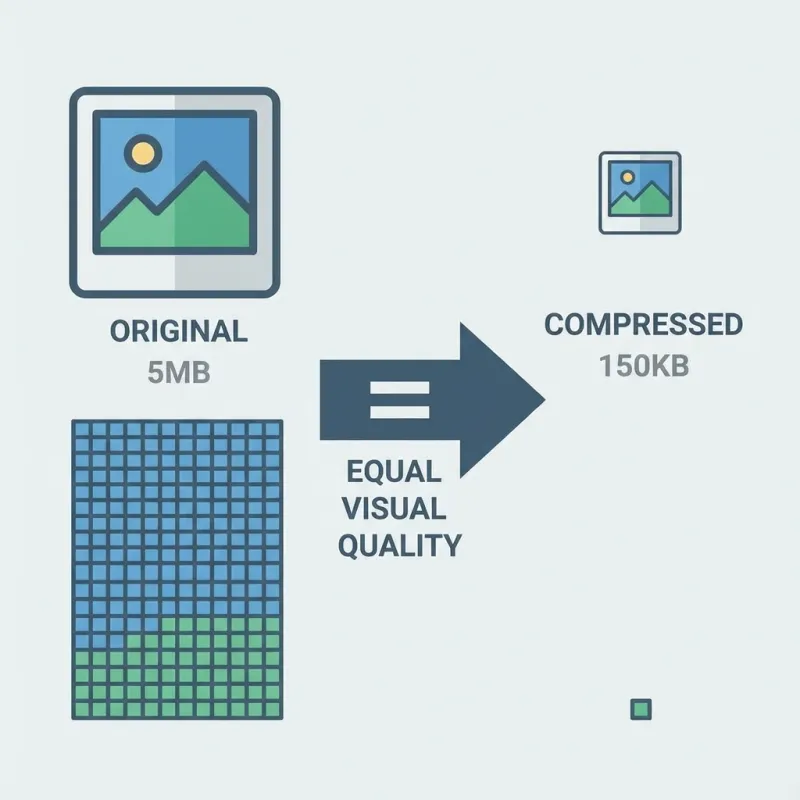
Visual comparison of file sizes before and after compression for a Perth restaurant hero image.
Recommended Image Workflow
A well-structured image workflow ensures every photo is optimised for both quality and performance:
Shoot high‑resolution: Capture RAW files with professional lighting and styling to preserve maximum editing flexibility.
Edit and colour grade: Retouch and enhance images so dishes look irresistible while maintaining accurate colour representation.
Export for web: Generate multiple sizes (1x, 1.5x, 2x) in WebP and JPEG formats, compressed at the ideal 80–85% quality setting.
Add SEO metadata: Rename files descriptively and write keyword-optimised alt text, including suburb names where appropriate.
Serve via CDN: Deliver images through a content‑delivery network to ensure fast loading regardless of the visitor’s location.
Following this end‑to‑end process means a business never has to choose between beautiful visuals and fast load times — both are achievable with the right workflow.
Tools for Image Compression
If you’re optimising images yourself, these tools can help:
| Tool | Type | Best For | Cost |
|---|---|---|---|
| Squoosh | Web app | One-off compression, format conversion | Free |
| ImageOptim | Mac app | Batch processing, metadata stripping | Free |
| ShortPixel | WordPress plugin | Automatic optimisation on upload | Freemium |
| Imagify | WordPress plugin | Bulk optimisation, WebP conversion | Freemium |
| Cloudinary | CDN/API | Automatic optimisation, responsive delivery | Freemium |
| Astro Image | Build-time | Automatic processing in Astro sites | Free (included) |
Compression Isn’t About Sacrificing Quality
The goal of image compression isn’t to make your photos look worse; it’s to make them load faster without anyone noticing the difference. When done correctly, compression is invisible to the customer but highly visible to Google—and that’s what drives more traffic, more bookings, and more revenue for your Perth venue.
If you’re working with a photographer who doesn’t understand web optimisation, or if you’re unsure how your current images are affecting your site’s speed, it’s time to take action. This is especially important for Perth venues in competitive areas like Northbridge and Fremantle where every advantage matters.
Frequently Asked Questions: Image Compression for Restaurant Websites
Check Whether Images Are Your Bottleneck
If you suspect images are the bottleneck, run your site through Google PageSpeed Insights and check the LCP metric first. For a deeper look at how image handling fits into a full restaurant site build, see our web design service page.
Related reading: Learn about photography mistakes costing you customers, discover why fast websites get more Perth bookings, and see how owner photos boost your Google Maps ranking.