Why Graphics Are the Backbone of Web User Experience
When a visitor lands on your website, they do not read — they scan. Eye-tracking studies consistently show that users form impressions within 50 milliseconds and decide whether to stay or leave within 3-5 seconds. In that tiny window, graphics do the heavy lifting. They establish credibility, communicate your value proposition, and signal where the user should look next.
For Perth businesses, where local competition is fierce across sectors like hospitality, professional services, and e-commerce, the quality and strategy behind your web graphics can be the difference between a conversion and a bounce. This is not about making things “look pretty” — it is about using visual design as a functional tool to improve how people experience your website.
Visual Hierarchy: Controlling the Eye
Size and Scale
The largest element on a page receives attention first. This is why hero images and headline typography are oversized — they anchor the user’s gaze and set the context for everything that follows. When designing web graphics, size should directly correlate with importance. Your primary message or CTA should be visually dominant; secondary information should be proportionally smaller.
Colour and Contrast
High-contrast elements attract the eye before low-contrast ones. A bright orange CTA button against a white background is impossible to miss. A grey link buried in grey text is invisible. Strategic use of your brand colours — particularly accent colours reserved for interactive elements — creates a visual pathway through the page that users follow instinctively.
Whitespace as a Design Element
The space around graphics is just as important as the graphics themselves. Adequate whitespace — or negative space — prevents visual overload, gives each element room to breathe, and makes content significantly easier to scan. Perth businesses often make the mistake of cramming every pixel with information, when strategic emptiness would improve comprehension dramatically.
Graphics That Support Readability
Long blocks of unbroken text are the fastest way to lose a website visitor. Graphics break content into digestible sections, provide visual rest points, and reinforce key messages. Here are the graphic types that improve readability most effectively:
- Section dividers and decorative rules — subtle visual breaks between content blocks that signal a topic shift
- Inline icons and spot illustrations — small graphics that sit alongside text to reinforce meaning at a glance
- Infographics and data visualisations — complex information presented visually, reducing the need for lengthy explanations
- Annotated screenshots and diagrams — particularly useful for SaaS, tech, and service businesses explaining processes
- Pull quotes with graphic treatment — highlighting key statistics or testimonials with visual emphasis
Each of these graphic types serves a functional purpose. They are not filler — they are tools that make your content easier to consume and more likely to be remembered. For guidance on choosing between illustrated and photographic visuals, see our comparison of custom illustrations versus stock photos.
Conversion-Focused Graphics
Directional Cues
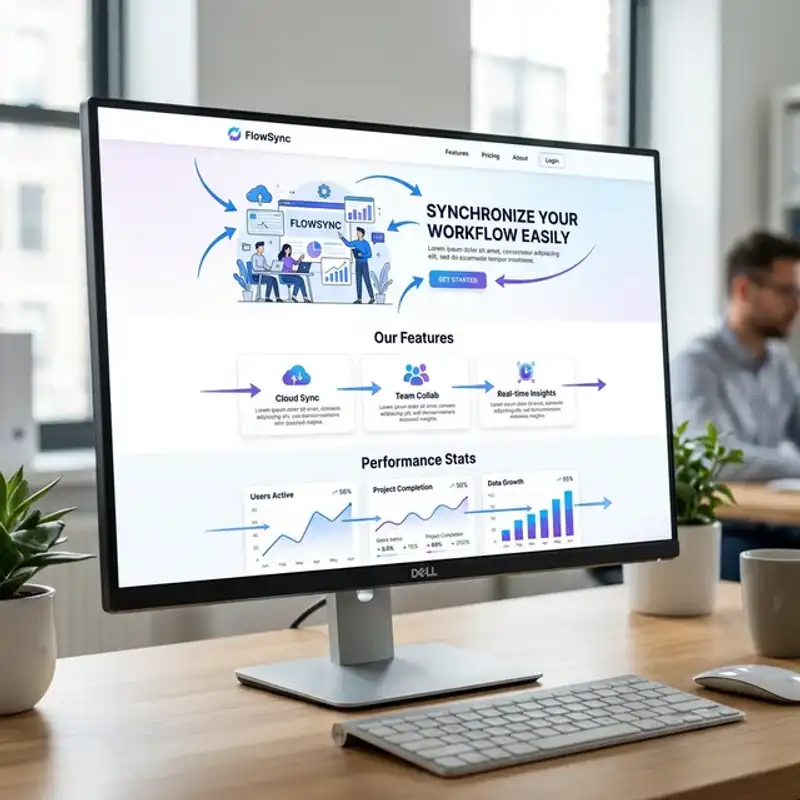
Arrows, lines, and even the gaze direction of people in photographs can guide users toward your CTA. A photo of a person looking toward your sign-up form subtly draws the visitor’s eye in the same direction. These directional cues are powerful and widely used by high-converting Perth e-commerce and SaaS websites.
Trust Signals
Graphic elements like certification badges, client logos, star ratings, and security icons all serve a conversion function. They reduce anxiety at the decision point — the moment a user is deciding whether to fill in your contact form or make a purchase. Design these trust elements with visual consistency and place them near your primary conversion points.
CTA Button Design
Your call-to-action buttons are the most conversion-critical graphics on your website. They need to be:
- Visually distinct — a colour that contrasts with the page background and surrounding elements
- Adequately sized — large enough to be an obvious click target, especially on mobile devices
- Consistently styled — the same button style throughout the site so users learn what is clickable
- Action-oriented — paired with clear, specific text like “Get a Free Quote” rather than vague “Submit”
Consistency Across Pages
One of the most common graphic design failures on Perth business websites is inconsistency. The homepage might feature polished, professionally designed graphics, while the About page uses low-resolution stock photos and the Services page has a completely different icon style. This visual fragmentation confuses users and erodes trust.
To maintain consistency, your website needs a graphic design system — a documented set of rules covering:
- Icon style — line weight, fill style, corner radius, and colour usage for all icons
- Image treatment — consistent filters, aspect ratios, and overlay styles for photographs
- Illustration guidelines — if you use custom illustrations, define the style, palette, and complexity level
- Spacing and sizing rules — standardised padding around graphics and responsive scaling behaviour
This system should be part of your broader brand consistency strategy, ensuring every page feels like it belongs to the same website.
Performance: Graphics That Load Fast
Beautiful graphics mean nothing if they take five seconds to load. Page speed is both a user experience factor and a Google ranking signal, and oversized images are the number one culprit for slow Perth business websites.
Every web graphic should be:
- Correctly sized — served at the dimensions they display, not scaled down from a 4000px original in the browser
- Compressed — using modern compression to reduce file size by 60-80% without visible quality loss
- Delivered in modern formats — WebP for photographs, SVG for icons and logos, with fallbacks where necessary
- Lazy loaded — images below the fold should load only when the user scrolls to them, not on initial page load
At Amplify Creative Lab, we design every web graphic with performance in mind from the start — not as an afterthought. A visually stunning website that loads slowly is a website that nobody sees.
Mobile-First Graphic Design
Over 60% of web traffic in Australia comes from mobile devices. This means your graphics need to work at smartphone sizes first, not just look good on a widescreen monitor. Key considerations include:
- Touch target sizing — interactive graphics and buttons must be at least 44x44 pixels for reliable tapping
- Simplified compositions — complex desktop graphics should have simplified mobile versions that retain clarity at small sizes
- Responsive SVGs — vector graphics that scale seamlessly across all screen widths without pixelation
- Reduced graphic density — fewer visuals per screen on mobile to prevent overwhelming the user in a narrow viewport
Upgrade Your Web Graphics
At Amplify Creative Lab, we design web graphics that do more than look good — they guide users, support readability, and drive measurable conversion improvements. From icon systems and infographics to hero imagery and CTA design, every visual element we create serves a strategic purpose.
Get in touch to upgrade the graphic design across your website.
See our graphic design services or learn how professional web development builds on strong visual foundations.