
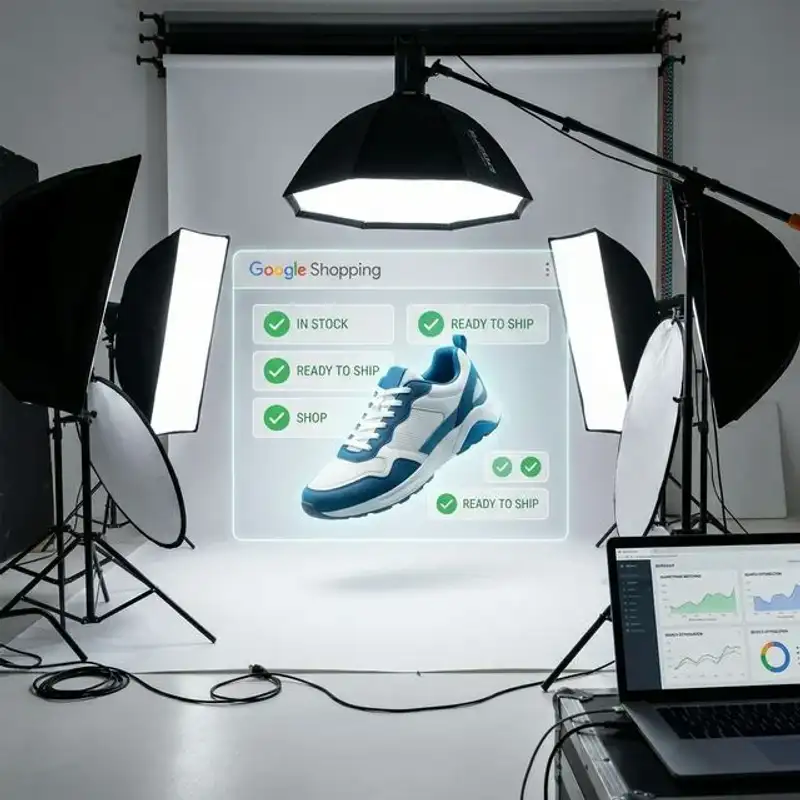
If your products sell on Amazon, Google Shopping, eBay, Facebook Marketplace, and your own store, one generic image set usually creates friction somewhere. The better system is to shoot a clean master pack first, then export channel-specific variants that match each platform’s rules and buyer expectations.
That is the real job of marketplace product photography. It is not only about making the product look good. It is about getting approved, staying consistent, and giving each channel the right file without triggering rejections or unnecessary reshoots.
Start with the strictest channels first
Amazon and Google Shopping create most of the compliance pressure for Perth ecommerce brands. If you plan for those channels first, your files are usually easier to adapt for eBay, Facebook Marketplace, Gumtree, and your own product pages.
Amazon hero image rules
- Pure white background for the main image
- Product only unless extra items are included in the sale
- No text, badges, logos, or watermarks
- Tight, clean framing with the product filling most of the frame
- High enough resolution for zoom and detail inspection
Google Shopping primary image rules
- Show the exact product being sold with accurate color and finish
- Use a clean white, grey, or light background for the primary image
- No text overlays, borders, watermarks, or promo stickers
- Use at least 800 x 800 pixels where possible even though lower minimums exist
- Keep lifestyle content to additional images rather than the main feed image
Amazon is stricter on the hero image. Google Shopping is slightly more flexible, but the practical answer is similar: use a clean primary packshot first, then layer in supporting assets after compliance is covered.
eBay, Facebook Marketplace, and Gumtree still need discipline
These channels may reject fewer files than Amazon, but they still punish weak imagery with lower trust and worse click-through.
- eBay: clarity and condition transparency matter. Use multiple angles and avoid cluttered backgrounds that obscure defects or details.
- Facebook Marketplace: mobile-first framing matters. Keep edits natural, show condition clearly, and avoid images that feel over-processed.
- Gumtree: trust is driven by straightforward photos. Start with a clean hero image, then add practical detail or scale frames.
If those channels are part of your sales mix, you still benefit from the same core system: clean packshots first, then export variants that fit each platform’s format and audience.
The most common reasons product images get rejected
- Background non-compliance: especially on Amazon hero images and feed-based listings.
- Promotional overlays: prices, discount labels, logos, and callouts on the primary image.
- Low resolution or soft focus: technically uploaded but visually weak or flagged by automated quality checks.
- Wrong product representation: the image does not match the color, size, quantity, or variation being sold.
- Extra items in frame: props or packaging suggest products not included in the purchase.
- Inconsistent catalog treatment: uneven crops, mixed backgrounds, and varied lighting reduce trust even when the listing is accepted.
When businesses keep getting disapprovals, the problem is often not the camera. It is the workflow. A repeatable requirements-first process removes most of this friction before upload.
A channel-ready image pack for each SKU
The easiest way to stay efficient is to build one master image pack per product, then export what each channel needs.
- 1 compliant hero packshot: white or light background, clean, centered, approval-safe.
- 3 angle images: front, side, back, or a strong three-quarter view.
- 1 detail image: texture, ingredients, finish, label detail, or craftsmanship.
- 1 scale or packaging image: useful for reducing uncertainty and return risk.
- 1 lifestyle image: for website, social, and additional marketplace slots where context helps conversion.
This gives you enough structure for compliance, ecommerce pages, and ads without treating each channel as a completely separate shoot. For broader website readiness, pair this with our online-ready ecommerce photography guide.
Export by channel, not by guesswork
The same product can need different files depending on where it appears. That is why deliverables should be organized by channel instead of one mixed folder of “final images.”
- Amazon: clean hero image plus secondary detail, scale, and lifestyle variants where allowed.
- Google Shopping: clean primary feed image plus additional images for richer product detail pages.
- eBay and Facebook Marketplace: straightforward listing images that show condition and detail clearly on mobile.
- Shopify or your own store: wider flexibility for banners, lifestyle images, and supporting thumbnails.
If your team sells across both website and marketplace channels, this is also where a platform-specific product photography plan starts to matter. The site can use richer supporting visuals while the marketplace pack stays stricter.
A workflow that reduces reshoots
1. Build a channel matrix before the shoot
List every channel the product needs to support: Amazon AU, Google Merchant Centre, eBay, Facebook Marketplace, Gumtree, Shopify, wholesale sheets, ads, and social. That defines what must be captured.
2. Shoot compliance-first packshots
Capture all white-background hero images while the setup is locked. This protects approval-safe outputs before the styling expands.
3. Capture supporting detail and lifestyle assets
Once the compliance set is done, add close-ups, packaging, scale references, and styled frames that support conversion on richer channels.
4. Export clearly named channel folders
Label files by SKU and destination so uploads stay clean. This is a small process detail, but it prevents a lot of wrong-image errors inside product feeds and marketplace dashboards.
If you are preparing a larger shoot, use our product photography shoot preparation guide to make sure products, variants, and packaging are ready before the cameras are set.
When DIY stops being efficient
DIY works for temporary listings, low-risk channels, and early-stage testing. It usually breaks down when the catalog expands, the business starts running paid traffic, or the same product has to work across five different destinations with different rules.
That is where better image planning matters more than the camera body. If your current system keeps causing disapprovals, rework, or uneven catalog quality, compare it with our DIY versus professional product photography guide. It lays out when in-house production is still commercially sensible and when it starts slowing the business down.
Need one product image system that works across every channel?
We help Perth brands create marketplace-ready product images that are structured for Amazon, Google Shopping, ecommerce, and broader campaign use without turning each platform into a separate production job.
If you need a cleaner workflow for your catalog, get in touch or explore our product photography service.
Next reads: Ecommerce Photography Perth: Getting Your Products Online-Ready, white background versus lifestyle photography, and our platform-specific product photography guide.