
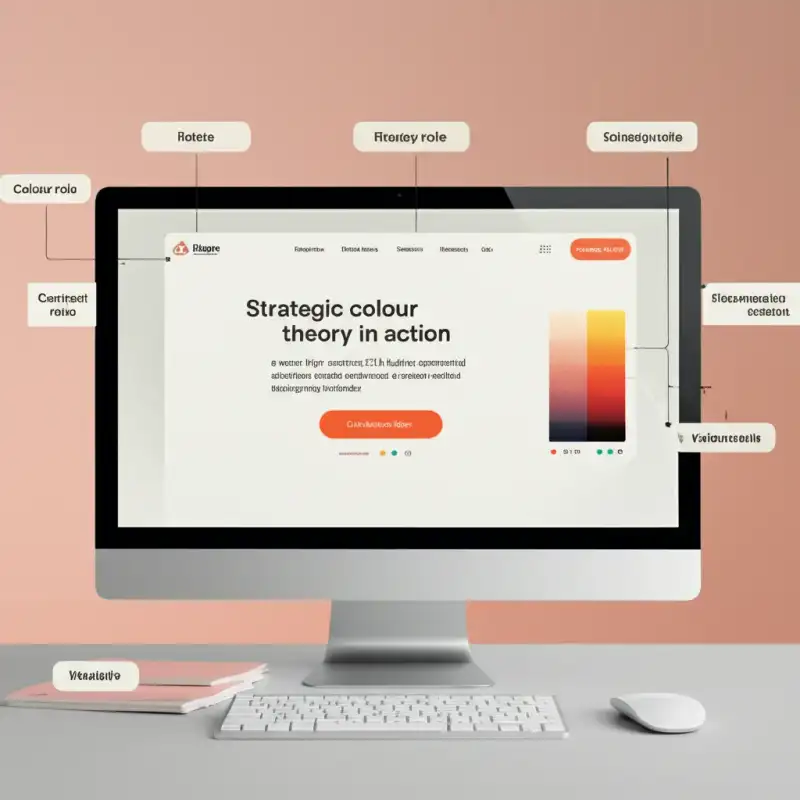
Colour Is Not Decoration — It Is a Conversion Lever
Every colour on your website influences user behaviour. The blue of a hyperlink tells visitors where to click. The red of an error message signals that something needs attention. The warm tones of a hero image create an emotional atmosphere before a single word is read. These reactions happen subconsciously and within milliseconds — long before the rational brain engages with your content.
For Perth businesses investing in professional web development, understanding colour theory is not a nice-to-have — it is a fundamental conversion optimisation strategy. The right colour choices improve readability, guide user attention, build emotional connections, and ultimately drive more enquiries, sign-ups, and sales.
The Psychology of Colour in Web Design
Warm Colours: Energy and Urgency
Red, orange, and yellow are activating colours. They increase heart rate, create a sense of urgency, and draw attention. This is why sale banners are almost universally red and why food delivery apps favour warm palettes — warmth stimulates appetite and impulsive action.
Perth hospitality businesses — restaurants, cafes, and bars — often benefit from warm accent colours that evoke appetite and energy. However, overusing warm colours creates visual fatigue. Use them strategically for CTAs, promotions, and highlights rather than as a dominant background colour.
Cool Colours: Trust and Calm
Blue, green, and purple are calming colours. They slow the pace of visual processing, reduce anxiety, and create feelings of stability. Blue is the most universally preferred colour across demographics, which explains its dominance in banking, insurance, healthcare, and enterprise software.
For Perth professional services firms — accountants, lawyers, financial planners — cool palettes reinforce the trust and reliability clients expect. Green works particularly well for health, wellness, and environmental businesses, connecting to natural, growth-oriented associations.
Neutral Colours: The Unsung Workhorses
White, grey, and black do most of the heavy lifting on any well-designed website. They create breathing room, establish contrast, and allow your brand colours to shine. A predominantly white layout with strategic colour accents is more visually effective — and more readable — than a page saturated with colour.
The trend toward minimalist, neutral-heavy web design is not just aesthetic — it is functional. Clean backgrounds improve text readability, reduce cognitive load, and make coloured elements (CTAs, highlights, icons) far more prominent.
Contrast: The Real Conversion Driver
Here is the most important thing to understand about colour and conversions: it is contrast that drives action, not the colour itself. The famous “red vs green button” test that circulates in marketing circles misses the point entirely. A red button on a green page will outperform a green button on the same page because it contrasts — not because red is inherently better.
The Isolation Effect
In psychology, the Von Restorff effect (or isolation effect) states that an item that stands out from its surroundings is more likely to be remembered and acted upon. On a website, this means your CTA should be the most visually distinct element on the page. It should use a colour that appears nowhere else — or at least appears very sparingly — so it immediately draws the eye.
Applying Contrast Strategically
To maximise the contrast effect on your Perth business website:
- Reserve one accent colour exclusively for CTAs — do not use it for headings, borders, or decorative elements
- Create sufficient whitespace around your CTA — isolation amplifies the contrast effect
- Use colour saturation strategically — a saturated button on a desaturated page pops immediately
- Test dark-on-light and light-on-dark combinations — what works depends on your specific page layout and audience
Accessibility and Colour Contrast Ratios
Approximately 8% of men and 0.5% of women have some form of colour vision deficiency. If your website relies on colour alone to communicate information — green for success, red for error, with no supporting text or icons — a significant portion of your audience is excluded.
WCAG Contrast Requirements
The Web Content Accessibility Guidelines (WCAG) 2.1 AA standard specifies minimum contrast ratios:
- Normal text (under 18pt): 4.5:1 contrast ratio against its background
- Large text (18pt+ or 14pt bold): 3:1 contrast ratio
- UI components and graphical objects: 3:1 contrast ratio
These are minimums, not targets. Aiming for higher ratios — 7:1 for body text, for example — improves readability for all users, not just those with visual impairments. Better readability means longer time on page, lower bounce rates, and ultimately more conversions.
Beyond Contrast: Colour-Blind Safe Design
Never use colour as the sole indicator of meaning. Pair colour with:
- Icons — a tick icon alongside green, a cross icon alongside red
- Text labels — “Success”, “Error”, “Warning” alongside coloured status indicators
- Patterns or textures — particularly useful in charts and data visualisations where multiple colours represent different data series
Tools like the Colour Contrast Analyser and Stark plugin for Figma allow you to simulate colour-blind conditions during the design process, catching issues before they reach production. This approach aligns with the broader principles of user-focused web design.
Building a Conversion-Focused Colour Palette
Step 1: Start With Your Brand
Your website palette should be derived from your brand identity system. If your brand colours are navy and gold, your website should use those as primary and accent colours, extended with complementary neutrals.
Step 2: Assign Functional Roles
Every colour in your palette needs a defined role:
- Primary colour — used for major headings, navigation, and brand-heavy elements
- Accent colour — reserved for CTAs, links, and interactive elements
- Background colour — typically white or a very light neutral
- Text colour — dark grey or near-black for body copy (pure black can be visually harsh)
- Feedback colours — green for success, red for errors, amber for warnings (standardised, not customised)
Step 3: Document and Enforce
Create a colour usage guide that specifies exactly where each colour appears — and where it does not. This prevents the gradual “colour creep” that happens when multiple designers and developers add new shades over time, eroding the visual system. Your typography choices should work in harmony with this palette for maximum visual cohesion.
Testing Methodology: From Theory to Data
Colour psychology provides a starting point, but your audience is unique. What works for a Perth mining services company may fail completely for a Fremantle boutique retailer. A/B testing is the only way to make confident, data-driven colour decisions.
What to Test
- CTA button colour — the highest-impact, easiest-to-test element on any page
- Hero section background colour or overlay — impacts first impressions and bounce rate
- Form background and border colours — subtle changes can affect form completion rates
- Link colour — affects click-through rates on in-content links
How to Test
Use tools like Google Optimize, VWO, or Optimizely to split traffic between colour variants. Run each test for at least two full weeks (or until statistical significance is reached) to account for day-of-week and time-of-day variations. Change only one colour variable at a time — testing multiple changes simultaneously makes it impossible to attribute results.
Book a Colour Strategy Session
At Amplify Creative Lab, we combine colour theory, accessibility expertise, and data-driven testing to build website colour systems that convert. Whether you are launching a new site or optimising an existing one, we help Perth businesses make colour decisions based on strategy — not guesswork.
Get in touch to book a colour strategy session for your website.
Explore our graphic design services or learn how professional web development integrates design and performance for Perth businesses.